
Executive Development Programme in Mastering Adobe Premiere Pro Editing
This programme equips executives with advanced Adobe Premiere Pro skills, enhancing video editing proficiency and creative storytelling capabilities.
Executive Development Programme in Mastering Adobe Premiere Pro Editing
Programme Overview
The Executive Development Programme in Mastering Adobe Premiere Pro Editing is designed to equip professionals with advanced skills in video editing, making them proficient in using Adobe Premiere Pro for creating high-quality video content. This programme is ideal for individuals in the media, entertainment, advertising, and marketing sectors, as well as those aspiring to enhance their career in video production and post-production roles.
Participants in this programme will develop comprehensive skills in video editing, including mastering Adobe Premiere Pro's advanced features such as timelines, transitions, effects, and color grading. They will learn to handle large video projects, optimize workflow efficiency, and leverage Premiere Pro’s tools for effective storytelling and visual communication. By the end of the programme, learners will also gain insights into industry best practices and trends, enabling them to stay ahead in a competitive field.
This programme significantly impacts careers by providing participants with the technical expertise and creative tools necessary to excel in roles such as video editor, post-production supervisor, or multimedia producer. It enhances their ability to deliver professional-grade videos, making them highly sought after in the industry. Successful completion opens up opportunities for career advancement and positions individuals to lead innovative projects that drive business success.
What You'll Learn
Dive into the dynamic world of video editing with our Executive Development Programme in Mastering Adobe Premiere Pro Editing. This comprehensive programme is designed to equip professionals with advanced skills in Adobe Premiere Pro, a premier video editing software. Over the course of the programme, participants will learn the intricacies of video workflow, advanced editing techniques, color grading, and sound design, all under the guidance of industry experts.
The curriculum is structured to cover essential topics such as creating and managing projects, advanced editing tools, motion graphics, and visual effects. Participants will also delve into mastering audio post-production techniques and understanding color theory to enhance visual storytelling. By the end of the programme, graduates will be proficient in creating high-quality videos that meet professional standards.
These skills translate directly into a wide range of career opportunities in film, television, corporate communications, and digital marketing. Graduates are well-prepared to take on roles such as video editor, post-production supervisor, or creative director. The programme not only enhances technical skills but also fosters a deep understanding of creative processes, making participants invaluable assets in any media production team. Join us to elevate your video editing capabilities and open doors to exciting career possibilities.
Programme Highlights
Industry-Aligned Curriculum
Developed with industry leaders for job-ready skills valued by employers worldwide.
Globally Recognised Certificate
Recognised by employers across 180+ countries as a mark of professional excellence.
Flexible Online Learning
Study at your own pace with lifetime access to all course materials and updates.
Instant Access
Start learning immediately — no application process or waiting period required.
Constantly Updated Content
Stay ahead with the latest industry trends, best practices, and emerging insights.
Career Advancement
87% of graduates report measurable career progression within 6 months of completion.
Topics Covered
- 1. Introduction to Adobe Premiere Pro: Learners will understand the interface and basic workflow of Adobe Premiere Pro. They will gain skills in importing media, creating a new project, and arranging media in the timeline.
- 2. Essential Editing Techniques: This module covers the basics of cutting, trimming, and assembling clips. Learners will learn to use the Razor tool, In and Out points, and the Ripple Edit feature to edit video and audio effectively.
- 3. Advanced Editing Techniques: Learners will explore multi-camera editing, timeline nesting, and working with subclips. Practical skills include managing multiple camera angles and organizing complex projects efficiently.
- 4. Video Effects and Transitions: This module focuses on applying various video effects and transitions to enhance the visual appeal of the edited footage. Learners will become proficient in using Adobe Premiere Pro’s effects palette to add polish to their projects.
- 5. Color Grading and Correction: Learners will learn how to adjust color balance, correct exposure, and enhance the overall look of their videos through color grading techniques. Practical exercises include using the Lumetri Color panel to achieve consistent and professional results.
- 6. Audio Editing and Mixing: This module covers the basics of audio editing, including importing and organizing audio files, editing audio clips, and adding audio effects. Learners will also learn to mix audio tracks to improve the overall sound quality of their projects.
- 7. Motion Graphics and Titles: Learners will create and animate custom titles, graphics, and motion elements. Practical skills include using the Title and Motion Graphics panels to design and animate text and elements effectively.
- 8. Exporting and Sharing Projects: This module focuses on preparing and exporting final projects in various formats suitable for different media platforms. Learners will learn to set export settings, handle resolutions, frame rates, and deliverables for web, social media, and broadcast.
- 9. Collaboration and Version Control: Learners will understand how to collaborate with team members and manage project versions effectively. Practical exercises include using Adobe Bridge for project management and version control.
- 10. Advanced Project Management: This module covers advanced techniques for managing large-scale projects, including working with external devices, managing media libraries, and optimizing performance. Learners will also learn best practices for project organization and time management.
What You Get When You Enroll
Secure checkout • Instant access • Certificate included
Key Facts
Audience: Creative professionals, editors, filmmakers
Prerequisites: Basic computer skills, Adobe account
Outcomes: Proficient in Premiere Pro, enhanced editing skills
Ready to get started?
Join thousands of professionals who already took the next step. Enroll now and get instant access.
Enroll Now — $199Why This Course
Enhance Professional Skills: This programme equips professionals with advanced skills in Adobe Premiere Pro, a cornerstone tool in video editing. Participants learn to manipulate audio and video simultaneously, synchronize tracks, and apply professional-grade effects, directly enhancing their ability to produce high-quality content.
Boost Career Opportunities: Mastery of Adobe Premiere Pro not only improves current job performance but also opens doors to higher positions. Companies seek professionals with strong editing skills to handle complex projects, making this programme a valuable asset for career advancement.
Stay Updated with Industry Standards: The programme keeps professionals updated with the latest features and trends in video editing. By constantly learning and adapting to new technologies, participants can remain competitive in the job market and contribute to innovative projects.
Network and Collaborate: Engaging with a diverse group of professionals through this programme provides opportunities for networking and collaboration. These connections can lead to mentorship, job referrals, and joint project opportunities, furthering career growth and development.
Your Path to Certification
Trusted by Professionals Worldwide
Course Brochure
Download our comprehensive course brochure with all details
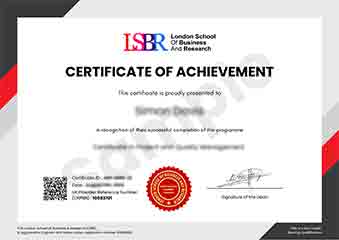
Sample Certificate
Preview the certificate you'll receive upon successful completion of this program.
Get Free Course Info
Enter your details and we'll send you a comprehensive course information pack straight to your inbox.
Employer Sponsored Training
Let your employer invest in your professional development. Request a corporate invoice and get your training funded.
Request Corporate InvoiceWhat People Say About Us
Hear from our students about their experience with the Executive Development Programme in Mastering Adobe Premiere Pro Editing at LSBRX - Executive Education.
Oliver Davies
United Kingdom"The course content was incredibly thorough and well-structured, providing me with a solid foundation in Adobe Premiere Pro that has significantly enhanced my video editing capabilities. I've gained practical skills that have directly benefited my career, allowing me to handle complex editing projects with confidence."
Anna Schmidt
Germany"This course has been instrumental in enhancing my video editing skills, making my work more professional and industry-ready. It has opened up new opportunities for me in the field, allowing me to take on more complex projects and advance my career."
Fatimah Ibrahim
Malaysia"The course structure is well-organized, providing a seamless transition from basic editing techniques to advanced features in Adobe Premiere Pro, which has significantly enhanced my ability to handle complex video projects professionally."