
Executive Development Programme in PowerShell Scripting for Windows Environment Management
This programme equips executives with advanced PowerShell scripting skills for efficient Windows environment management, enhancing productivity and IT governance.
Executive Development Programme in PowerShell Scripting for Windows Environment Management
Programme Overview
The Executive Development Programme in PowerShell Scripting for Windows Environment Management is tailored for IT professionals, system administrators, and IT leaders aiming to enhance their scripting and automation skills in a Windows environment. This program equips participants with advanced PowerShell techniques for managing complex IT infrastructures, ensuring efficient and reliable operations.
Over the course of this intensive program, learners will develop expertise in PowerShell scripting, including advanced development, automation of routine tasks, and integration with various Windows services and systems. Key knowledge areas include scripting best practices, error handling, and PowerShell Desired State Configuration (DSC) for achieving consistent and reproducible environments. The program also delves into troubleshooting and optimizing PowerShell workflows, preparing participants to tackle real-world challenges.
This programme will have a significant career impact by enabling professionals to streamline operations, reduce human error, and achieve higher levels of IT service reliability. Participants will be well-prepared to lead or contribute to automation projects, enhancing their organizational value and positioning themselves as key contributors to IT strategy and innovation.
What You'll Learn
The Executive Development Programme in PowerShell Scripting for Windows Environment Management equips professionals with advanced skills in automating and managing complex Windows environments. This comprehensive program is designed for IT executives and professionals aiming to optimize operational efficiency and reduce human error in system administration.
Key topics include advanced PowerShell scripting techniques, automation of routine tasks, integration with Azure and other cloud services, and best practices for secure and scalable configurations. Graduates will learn to write efficient scripts, manage system configurations, and troubleshoot issues with minimal downtime.
Participants will apply these skills in real-world scenarios through hands-on labs and projects, ensuring they can immediately integrate new knowledge into their current roles or future projects. The program also covers strategic planning and leadership aspects, preparing executives to lead teams in implementing PowerShell-driven automation initiatives.
Upon completion, graduates will be well-positioned for roles such as IT Automation Engineer, Systems Administrator, or DevOps Specialist. They will have the expertise to streamline operations, enhance security, and drive innovation through automation, making significant contributions to their organizations and opening doors to advanced career opportunities.
Programme Highlights
Industry-Aligned Curriculum
Developed with industry leaders for job-ready skills valued by employers worldwide.
Globally Recognised Certificate
Recognised by employers across 180+ countries as a mark of professional excellence.
Flexible Online Learning
Study at your own pace with lifetime access to all course materials and updates.
Instant Access
Start learning immediately — no application process or waiting period required.
Constantly Updated Content
Stay ahead with the latest industry trends, best practices, and emerging insights.
Career Advancement
87% of graduates report measurable career progression within 6 months of completion.
Topics Covered
- 1. Introduction to PowerShell: Learners will understand the basics of PowerShell, including its history and significance in Windows environments. They will gain foundational skills in executing simple commands and scripts.
- 2. PowerShell Syntax and Scripting: Learners will study the syntax of PowerShell commands and scripts, including variables, operators, and basic scripting constructs. They will write and execute simple scripts that manipulate files and directories.
- 3. Working with PowerShell Modules: Learners will explore how to use and create PowerShell modules to organize and share scripts. They will gain skills in managing, importing, and exporting modules to enhance their scripting capabilities.
- 4. PowerShell Automation with PowerShell Desired State Configuration (DSC): Learners will learn about DSC and how to use it for configuration management tasks. They will create and apply DSC configurations to ensure consistent and reliable environments.
- 5. PowerShell for Windows Administration: Learners will study PowerShell cmdlets specifically designed for administrative tasks such as managing users, groups, and permissions. They will gain skills in automating routine administrative tasks.
- 6. Advanced PowerShell Scripting Techniques: Learners will delve into advanced scripting techniques, including working with arrays, hash tables, and handling errors. They will develop complex scripts that handle various scenarios efficiently.
- 7. PowerShell Remoting: Learners will learn how to use PowerShell remoting to manage remote systems. They will gain skills in setting up and using remoting to automate tasks across multiple servers.
- 8. PowerShell for Monitoring and Alerting: Learners will explore how to use PowerShell for monitoring system health and performance. They will create scripts to monitor specific metrics and set up alerts for critical conditions.
- 9. PowerShell for Application Deployment: Learners will learn techniques for automating the deployment of applications using PowerShell. They will create deployment scripts that can install, configure, and update applications efficiently.
- 10. PowerShell for Security and Compliance: Learners will study how PowerShell can be used for enhancing security and ensuring compliance in Windows environments. They will write scripts to audit systems, manage security settings, and enforce policies.
What You Get When You Enroll
Secure checkout • Instant access • Certificate included
Key Facts
Audience: IT professionals, system administrators
Prerequisites: Basic scripting knowledge, Windows OS experience
Outcomes: Master PowerShell scripting, automate tasks, improve efficiency
Ready to get started?
Join thousands of professionals who already took the next step. Enroll now and get instant access.
Enroll Now — $199Why This Course
Enhanced Automation Skills: Professionals who complete the Executive Development Programme in PowerShell Scripting for Windows Environment Management gain advanced automation skills. This includes creating scripts to automate routine tasks, which can significantly reduce operational overhead and improve efficiency. For instance, automating the deployment and configuration of servers can lead to faster rollouts and reduced human error.
Improved Troubleshooting Capabilities: The program equips participants with the ability to write and debug complex PowerShell scripts, enhancing their troubleshooting skills. This is particularly beneficial in environments where quick resolution of technical issues is crucial. For example, being able to diagnose and fix system configuration issues through PowerShell can streamline support processes and improve service availability.
Competitive Advantage in the Job Market: Acquiring expertise in PowerShell scripting demonstrates a high level of technical proficiency, making professionals more attractive to employers. This skill set is highly valued in roles such as systems administrators, DevOps engineers, and IT specialists. According to industry reports, demand for PowerShell skills is on the rise, and professionals with this knowledge are often rewarded with better job opportunities and salary packages.
These benefits not only enhance individual career prospects but also contribute to more efficient and effective organizational operations.
Your Path to Certification
Trusted by Professionals Worldwide
Course Brochure
Download our comprehensive course brochure with all details
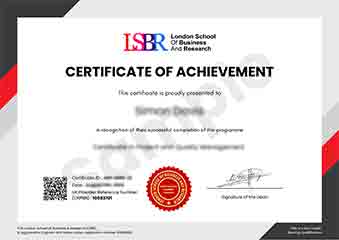
Sample Certificate
Preview the certificate you'll receive upon successful completion of this program.
Get Free Course Info
Enter your details and we'll send you a comprehensive course information pack straight to your inbox.
Employer Sponsored Training
Let your employer invest in your professional development. Request a corporate invoice and get your training funded.
Request Corporate InvoiceWhat People Say About Us
Hear from our students about their experience with the Executive Development Programme in PowerShell Scripting for Windows Environment Management at LSBRX - Executive Education.
James Thompson
United Kingdom"The course content was incredibly thorough, covering all the essential aspects of PowerShell scripting needed for effective Windows environment management. Gaining hands-on experience with practical tasks significantly enhanced my ability to automate and optimize system processes, which has already proven beneficial in my career."
Hans Weber
Germany"This Executive Development Programme in PowerShell Scripting has been incredibly valuable, equipping me with the skills to automate complex tasks in our Windows environment, which has significantly streamlined our operations and made me a more efficient team member. The practical applications I've learned have directly contributed to my career advancement, opening up new opportunities in my organization."
Jack Thompson
Australia"The course structure was meticulously organized, providing a seamless progression from foundational concepts to advanced scripting techniques, which greatly enhanced my understanding and practical skills in PowerShell for Windows environment management. The comprehensive content and real-world applications have been invaluable for my professional growth, enabling me to tackle complex tasks more efficiently."